
Embarking on a journey into digital painting is certainly exciting, yet selecting the right equipment poses a challenge for many beginners. With different types of drawing tablets available, many new creators wonder, Should a beginner artist get a drawing tablet? A suitable drawing device can improve drawing accuracy, enhance creative efficiency, and help beginners build confidence when entering digital illustration, animation, and graphic design.
For beginners who want long-term creative development, investing in a professional pen display can provide a more natural experience compared with traditional computer input devices. The best drawing tablet for beginner artists needs to cover all your fundamental drawing practice, plus carry high-end functions to keep advancing your artistic capabilities as you progress.
Best Drawing Tablet for Beginner Artist: Key Features to Consider
Selecting the right pen display involves evaluating several important factors, such as display quality, pen pressure performance, color accuracy, and user experience. With a professional drawing display, artists can draw directly on the screen, delivering a workflow that replicates the tactile feel of traditional hand drawing.
4K OLED Display Brings More Detailed Creative Experience
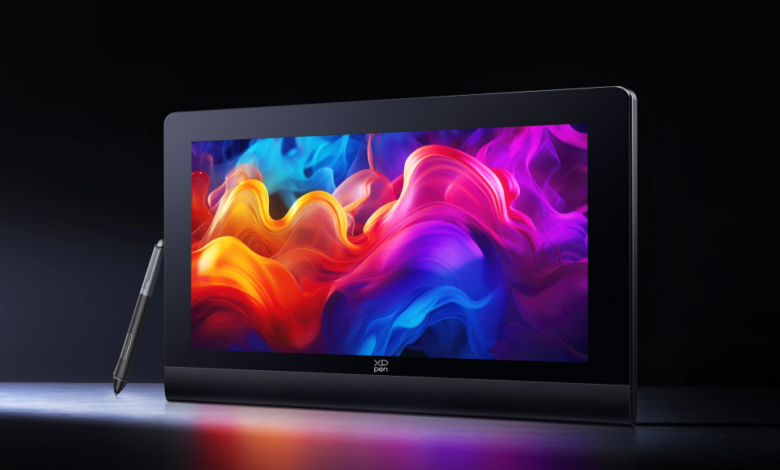
Display quality is essential for a better drawing experience. The XPPen Artist Ultra 16 features a 15.6-inch 4K OLED display with AMOLED technology, delivering vivid colors, deep blacks, and clear image details. With its 3840×2160 resolution, the display helps creators view fine textures and artwork details more accurately.
The self-luminous OLED pixels also improve contrast and visual depth, allowing artists to:
· See fine lines and details clearly
· Adjust colors more precisely
· Enjoy a more natural drawing process
For beginners searching for the best drawing tablet for beginner artists, a high-quality display can make learning easier by allowing them to directly view brush movements and color adjustments on the screen.
Professional Color Accuracy for Digital Artwork
Color performance plays an important role in illustration and design. The Artist Ultra 16 supports professional color standards, including 99% Adobe RGB, 99% sRGB, and 98% Display P3 coverage. With native 10-bit color depth, the display can reproduce up to 1.07 billion colors, enabling smoother gradients, richer color details, and more natural transitions. This is especially useful for:
· Digital painting
· Character illustration
· Concept design
· Animation projects
Countless art newcomers raise the same query: “Should a beginner artist get a drawing tablet?” Every drawing hardware has its own set of merits and drawbacks, and there is no one-size-fits-all best model for all creators. Your creative needs and long-term artistic goals determine which one suits you. If you are determined to delve deep into digital art for years to come, a premium pen display equipped with professional color reproduction capabilities will pave the way for your artistic progress.
Understanding the Benefits
Plenty of new artists stall when shopping for digital art gear, and they always end up asking the same question: Should a beginner artist get a drawing tablet? The answer depends on personal goals, but for anyone planning to seriously develop digital drawing skills, a quality pen display can be a valuable investment.
More Natural Drawing Control
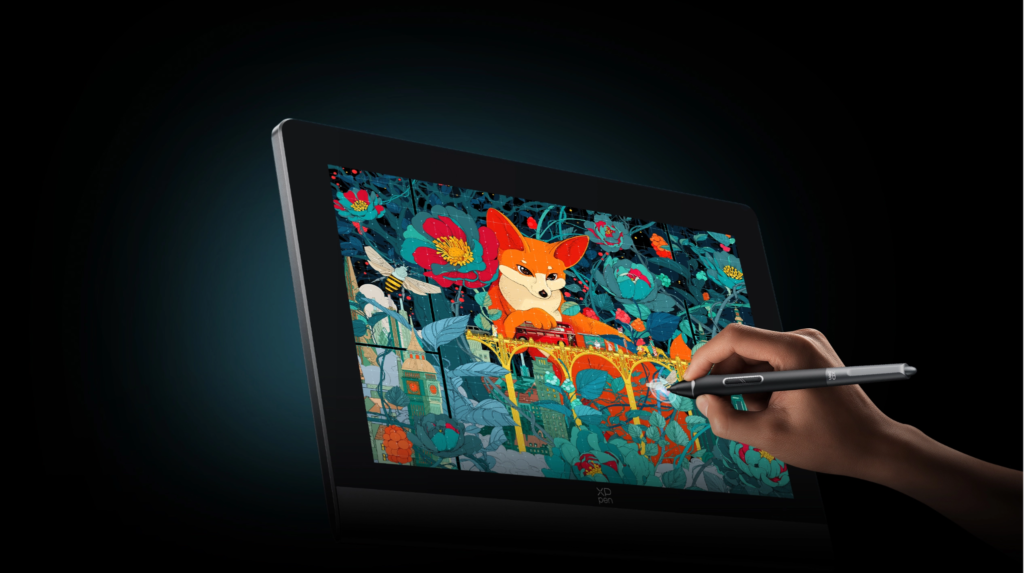
Unlike using a mouse, a drawing tablet allows artists to control lines through a stylus. The Artist Ultra 16 is equipped with Dual X3 Pro Series Stylus technology, providing smoother strokes and accurate control during sketching and painting. A responsive stylus reduces the adjustment period and makes digital creation feel closer to drawing on paper. This helps beginners improve:
· Line control
· Drawing confidence
· Brush accuracy
· Creative workflow
Faster Response and Smoother Creativity
Response speed is another important factor when choosing the best drawing tablet for beginner artist. The Artist Ultra 16 features a response time of less than 1ms, allowing the screen to display strokes almost instantly when the pen touches the surface. This technology helps reduce image trails and provides smoother feedback during fast movements. Whether creating detailed illustrations or dynamic artwork, artists can enjoy a more natural drawing experience.
Advanced Display Technology for Comfortable Long-Term Use
A professional drawing tablet should provide not only excellent image quality but also a comfortable experience during extended creative sessions.
Better Light and Shadow Performance
The Artist Ultra 16 delivers a 100,000:1 contrast ratio, creating a bigger difference between bright and dark areas. This allows creators to recognize subtle changes in shadows, highlights, and color details more easily. For artists working on realistic paintings or detailed illustrations, accurate contrast can significantly improve the final result.
Eye-Friendly Features for Extended Drawing
Long creative sessions can place stress on the eyes, especially when working with detailed artwork. The Artist Ultra 16 integrates several eye-care technologies, including:
· TÜV SÜD certified low blue light technology
· AG nano-etched glass
· AF coating
· Hybrid dimming solution
The OLED self-luminous pixels help reduce harmful blue light exposure, while the anti-glare surface minimizes reflections in bright environments. All these design touches make drawing far easier on the eyes for creators who log long art sessions day after day. If you are a new artist still pondering over the question “Should a beginner artist get a drawing tablet?”, you should take operational comfort and sturdy durability as your core criteria when selecting drawing equipment.
See also: Home Remedies for Bed Bug Bites That Actually Work
How to Choose the Best Drawing Tablet for Beginner Artist?
Every beginner artist has different creative goals, so the right drawing tablet depends on individual needs. Some users may focus on sketching, while others may want to explore professional illustration or animation.
Consider Your Future Creative Development
A beginner device should not only meet current requirements but also support future growth. Choosing a professional pen display with advanced features can reduce the need for frequent upgrades. The best drawing tablet for beginner artists should provide a balance between usability, professional performance, and long-term value.
Important features to consider include:
| Feature | Why It Matters |
| Display Quality | Provides clearer artwork details |
| Color Accuracy | Ensures realistic color presentation |
| Stylus Performance | Improves drawing precision |
| Response Speed | Creates smoother workflow |
| Eye Protection | Supports longer creative sessions |
Common Mistakes When Buying a Drawing Tablet
Many beginners focus only on price and overlook important technical specifications. Common mistakes include choosing a device without considering display quality, ignoring color accuracy, or selecting equipment that cannot support future creative needs. A professional drawing tablet should be viewed as a creative investment rather than just an accessory. Picking out a suitable drawing tool lets new artists pick up painting skills quicker and makes every digital creation session far less frustrating.
Final Thoughts: Finding the Right Digital Art Partner
Choosing the right drawing equipment is an important step for anyone starting digital creativity. A high-quality pen display can improve accuracy, increase workflow efficiency, and provide a more enjoyable learning experience. The best drawing tablet for beginner artist should combine professional display technology, reliable stylus performance, and comfortable operation. With a 15.6-inch 4K OLED display, AMOLED technology, professional color coverage, ultra-fast response time, and advanced eye-care features, Artist Ultra 16 provides beginners and experienced creators with a powerful creative platform.
If you are still considering “Should a beginner artist get a drawing tablet?”, choosing a device that supports both your current learning and future artistic growth can make a significant difference. If you have any questions about product features, compatibility, or choosing the right drawing tablet, please feel free to contact us anytime. Our professional team is always ready to provide assistance and help you find the ideal digital art solution.